As a parent, I never thought I’d reach the point where I would consider installing a monitoring app on my child’s phone. But here we are.
My 13-year-old got his first smartphone last year. At first, it was for online classes, YouTube tutorials, and staying in touch with family. Slowly, the screen time increased. New apps appeared. Unknown contacts. Late-night scrolling.
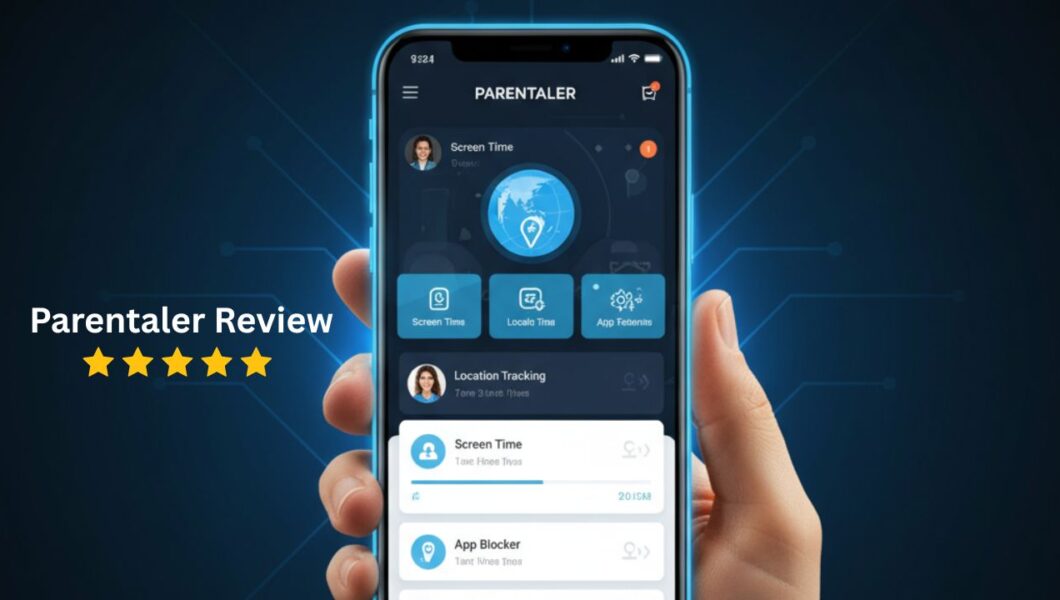
That’s when I started searching for a solution — and that search led me to writing this detailed Parentaler Review.
If you’re a parent wondering whether Parentaler is worth your money, this is my honest, no-fluff experience after actually trying the app.
Why I Started Looking for a Monitoring App
Let me be real.
I wasn’t trying to spy on my child. I just wanted peace of mind.
The internet today is very different from what we experienced growing up. Social media pressure, online predators, inappropriate content — it’s overwhelming. I tried setting rules. I tried talking (which still matters, by the way). But I also needed something practical.
That’s when I started researching a reliable monitoring app that would:
- Track location
- Monitor social media activity
- Control screen time
- Alert me about suspicious behavior
After comparing several options, I decided to try Parentaler.
What is Parentaler?
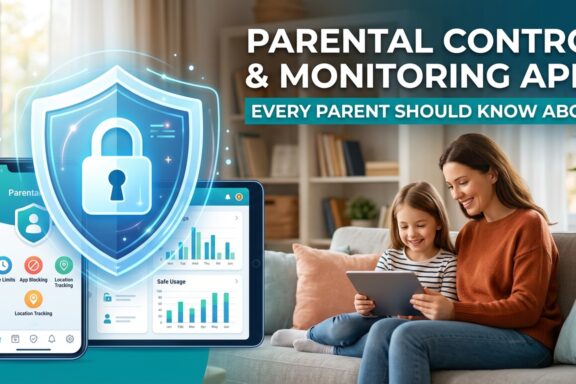
Parentaler is a parental control and monitoring app designed to help parents track and manage their child’s smartphone activity.
It claims to offer:
- Real-time GPS location tracking
- Social media monitoring
- Call and SMS tracking
- Screen time control
- App blocking
- Web browsing monitoring
It works on Android and iOS devices (though features vary depending on the device).
But features on paper are one thing. Real-life use is another.
Why I Chose Parentaler Over Other Monitoring Apps
There are dozens of parental control apps out there. Honestly, it gets confusing.
Here’s why I personally chose Parentaler:
1️⃣ Simple Setup Process
I’m not a tech expert. If installation required advanced technical steps, I would have given up.
The setup was straightforward. Clear instructions. No complicated configurations.
2️⃣ Clean Dashboard
The dashboard felt intuitive. I didn’t need tutorials to understand it.
Everything was clearly categorized:
- Location
- Messages
- Apps
- Browser activity
That alone made it less stressful to use.
3️⃣ Balanced Monitoring
Some apps feel too invasive. Others feel too basic.
Parentaler seemed like a middle ground — enough monitoring to ensure safety without feeling extreme.
Features I Personally Tested
Now let’s talk about what really matters.
📍 Location Tracking
This was my top priority.
The real-time GPS tracking worked well. I could see my child’s location on a map, and the updates were reasonably accurate.
One feature I appreciated was geofencing. I could set safe zones (like school and home) and receive alerts when my child entered or left those areas.
For working parents, this is extremely helpful.
💬 Social Media Monitoring
Let’s be honest — most parents worry about social media the most.
Parentaler allowed visibility into certain messaging apps and activity logs. I could monitor chats and see potential red flags.
Now, this depends on the device type. Some features work better on Android than iPhone.
But overall, as a monitoring app, it gave me visibility into conversations that I otherwise would never see.
And yes — it opened my eyes.
⏳ Screen Time Control
This feature helped improve our home environment.
Instead of constantly arguing:
“Put your phone down.”
“Just 5 more minutes.”
I set screen time limits directly from the dashboard.
You can:
- Block specific apps
- Restrict usage during school hours
- Set time-based rules
After a few weeks, I noticed less screen dependency and better sleep patterns.
That alone made the app valuable.
Try Parentaler – Monitor Your Child
🌐 Browser & Website Monitoring
I could view browsing history and detect potentially harmful websites.
There are also alerts for suspicious searches.
As a parent, this isn’t about control. It’s about protection.
Kids are curious. The internet doesn’t filter itself.
What I Liked About Parentaler (Pros)
Here’s my honest list:
✔ Easy to install
✔ User-friendly dashboard
✔ Accurate GPS tracking
✔ Helpful screen time controls
✔ Quiet operation (runs discreetly)
✔ Helpful customer support response time
The biggest benefit?
Peace of mind.
You don’t realize how much anxiety you carry until you feel a bit of relief.
What I Didn’t Like (Cons)
No app is perfect. Here’s what I think could improve:
✘ Pricing can feel slightly high for some families
✘ Some advanced features depend on device type
✘ Initial syncing took some time
✘ Requires access to the child’s phone during setup
If you’re expecting a magic solution, this isn’t it. It’s a tool — not a replacement for parenting.
Is Parentaler Worth the Money?
This is the real question, right?
Here’s my honest answer:
If your child:
- Uses social media actively
- Has unsupervised internet access
- Is entering teenage years
- Spends excessive time on their phone
Then yes — Parentaler is worth considering.
If your child is very young or doesn’t use a smartphone much, you might not need a full monitoring app yet.
For me, the cost felt justified because:
- It reduced arguments at home
- It increased transparency
- It helped me guide rather than control
That balance matters.
Who Should Use Parentaler?
Parentaler is best for:
- Parents of teenagers
- Working parents who can’t always supervise directly
- Families concerned about online safety
- Parents who want structured digital boundaries
It may not be necessary for:
- Kids under constant supervision
- Families that already use strong built-in parental controls
Final Verdict: Would I Recommend It?
After using it, yes — I would recommend it, with realistic expectations.
This Parentaler Review is based on actual use, not just features listed on a website.
It’s not about spying.
It’s not about control.
It’s about responsible digital parenting in a world where smartphones are unavoidable.
As parents, we lock our doors at night.
A monitoring app is just another form of protection — for the digital world.
Frequently Asked Questions
❓ Is Parentaler safe to use?
Yes, it is designed as a parental control tool. However, parents should always use monitoring apps responsibly and ethically.
❓ Can my child detect Parentaler?
It depends on device type and configuration. Some features operate discreetly, but transparency with your child is always recommended.
❓ Does Parentaler work on iPhone and Android?
Yes, but feature availability may vary depending on the operating system.
❓ Is Parentaler better than other monitoring apps?
That depends on your needs. In my experience, it offers a good balance between usability and control.
If you’re currently feeling unsure about your child’s digital safety, I understand completely.
Parenting in 2026 requires both conversations and technology.
And sometimes, having the right monitoring app makes all the difference.