A dying phone and no charger is a stressful mix. Maybe you left the cable at home, the adapter broke, or you are traveling and nothing fits. The good news is that you have more options than you might think. This guide covers safe ways to power up without your own charger, the “hacks” you should skip, and how to make your battery last until you find a real solution.
Why a Real Charger Still Matters
A phone needs the right voltage and current to charge safely. Chargers and cables are built to deliver that. Any method that skips them can be slow, unreliable, or even harmful to your battery. The best fixes below work by borrowing a proper charger, port, or power bank rather than improvising with bare wires.
Know Your Options
Borrowed cable and adapter:
Many friends, coworkers, and hotels have spares.
USB port on a computer:
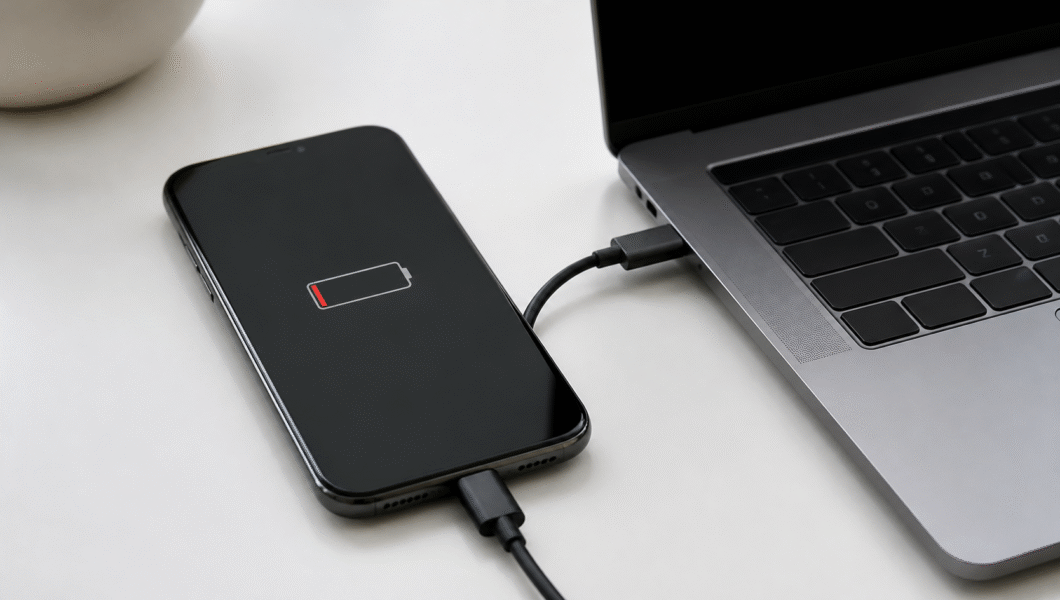
A laptop or desktop can charge your phone, just more slowly.
Car USB port or socket:
Most cars have a built-in port or a 12V socket.
Power bank:
A portable battery charges your phone anywhere.
Wireless charging pad:
If your phone supports it, any compatible pad works.
Public charging stations:
Airports, cafes, and malls often offer outlets or USB ports.
Other phones:
Some phones can share power through reverse charging.
What You Need
- A compatible cable (USB-C, Lightning, or micro-USB)
- A power source, such as a computer, car, or wall outlet
- A power bank, if you have one
- A wireless charging pad (optional)
- A TV or monitor with a USB port (optional)
- Your phone’s low power mode setting turned on
Step-by-Step: How to Charge Without Your Own Charger
- Check your phone’s port type
Look at the connector on your phone. Knowing whether it is USB-C, Lightning, or micro-USB tells you what to ask for. - Ask to borrow a cable
Friends, hotel desks, coworkers, and shop staff often have spares. Most are happy to help. - Use a computer’s USB port
Plug your phone into a laptop or desktop with a compatible cable. It charges more slowly than a wall adapter, but it works. A laptop must be on, and sometimes awake, to supply power. - Try your car
Use the car’s USB port, or a 12V adapter if you have one. Charging while driving is often the quickest option on a trip. - Grab a power bank
Borrow one or buy one nearby. Charge your phone from it just like a wall outlet. - Look for a wireless pad
If your phone supports wireless charging, check cafes, airports, and hotel rooms. Some furniture and car consoles include built-in pads. - Use a public charging station
Choose one in a visible, staffed area. Use your own cable if possible, or a “power only” adapter to avoid data risks. - Try reverse charging
Some phones can power other devices through a cable. This drains the donor phone, so use it only in an emergency. - Save power while you charge
Switch on low power mode, lower brightness, and close apps. You will gain charge faster.
Methods at a Glance
| Method | Speed | Best for | Watch out for |
| Wall outlet with borrowed charger | Fast | Home, hotels, offices | Needs a compatible cable |
| Laptop USB port | Slow | Work or travel | Laptop must be powered on |
| Car USB or 12V port | Medium | Road trips | Engine may need to run |
| Power bank | Medium | Anywhere | Must be charged beforehand |
| Wireless pad | Slow to medium | Cafes, desks | Phone must support it |
| Reverse charging | Slow | Emergencies | Drains the other phone |
Hacks to Avoid
The internet is full of strange ideas, and many are unsafe or simply do not work.
Cutting a cable and touching wires to the battery:
This can short-circuit the battery and cause fire or injury.
Potatoes, lemons, and coins:
They produce tiny amounts of electricity, nowhere near enough to charge a phone.
Hand-crank or solar tricks from unknown sources:
Cheap, unbranded gear can damage your phone. Reputable hand-crank and solar chargers exist, but buy them from known brands.
Charging in a microwave or oven:
This is dangerous. Never do it.
Using a damaged or frayed cable:
It can overheat and shock you.
Tips to Make Your Battery Last Longer
Turn on low power mode:
It limits background activity and saves battery.
Dim the screen:
The display is one of the biggest power drains.
Switch off Bluetooth and location:
Turn them back on only when you need them.
Use airplane mode in weak signal areas:
Phones burn battery searching for a signal.
Close unused apps:
Background apps use power quietly.
Turn on dark mode:
It helps on some screens, especially OLED displays.
Keep the phone cool:
Heat drains batteries faster, so avoid direct sun.
Common Mistakes to Avoid
Using the wrong cable:
A mismatched connector can bend pins or fail to charge.
Trusting cheap, unknown chargers:
Poor quality adapters can damage your battery.
Plugging into unknown public ports without care:
Data can be exposed in rare cases, so use a power-only adapter or your own cable.
Forgetting to enable charging mode:
Some phones ask whether to charge or transfer files. Choose charging.
Charging under a pillow or blanket:
Heat has nowhere to escape.
Ignoring battery heat:
If the phone becomes very hot, unplug it.
Safety Precautions
Use only undamaged cables and certified adapters. Do not charge your phone near water, on a bed, or inside a bag. Never open the battery or try to wire it directly. If your phone swells, smells odd, or becomes too hot to hold, unplug it and stop using it. Be careful with public USB ports and consider a USB data blocker. When you borrow someone’s equipment, return it promptly and thank them. If your phone is critical for an emergency, call for help instead of waiting for a full charge.
Frequently Asked Questions
Can I charge my phone with a laptop?
Yes. A laptop’s USB port can charge it, though more slowly than a wall adapter.
Can I charge my phone in a car without an adapter?
If the car has a built-in USB port, yes. Otherwise you need a 12V adapter.
Can I use another brand’s charger?
Usually yes, if the cable fits and the adapter is a quality product.
Is it safe to use public charging stations?
Mostly, but use your own cable or a power-only adapter when possible.
What if I have no power source at all?
Save battery with low power mode and airplane mode, then find a nearby cafe, shop, or hotel.
The Bottom Line
You can charge your phone without a charger by borrowing a cable, using a computer or car USB port, grabbing a power bank, or finding a wireless pad or public station. Skip risky “hacks” like cutting cables or using fruit, since they are unsafe and do not work. In the meantime, use low power mode, dim the screen, and close extra apps to stretch your battery. Next time, keep a small power bank and spare cable in your bag so you are never stuck again.