Parents today are raising children in a world where smartphones are part of everyday life. From social media and gaming apps to private messaging platforms, kids spend hours online every day. While technology has many benefits, it also brings risks that most parents worry about.
Cyberbullying, online predators, inappropriate content, and secret conversations are common concerns. Many parents simply want to know whether their child is safe online without constantly checking their phone in person.
That is where monitoring apps like mSpy come in.
I decided to test this monitoring app closely to see how it performs in real-life parenting situations. In this complete review, I will explain the features, installation process, accuracy, pros, limitations, and whether it is actually useful for parents.
Parents comparing different monitoring solutions often explore the best cell phone tracker apps for child safety before choosing the right tool for their family’s needs.
What Is mSpy?
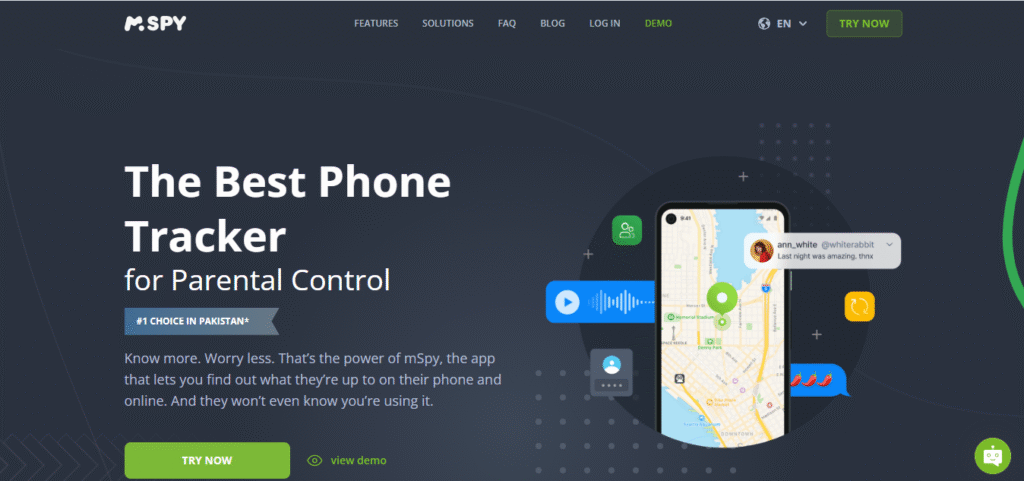
mSpy is a parental monitoring application designed to help parents supervise their children’s digital activities. It works on Android phones and iPhones and allows parents to monitor messages, calls, location, social media activity, and more from a separate dashboard.
The app is mainly marketed toward parents who want better visibility into their child’s online behavior without needing constant physical access to the device.
What makes this app popular is its large list of monitoring features combined with a relatively simple interface.
Try mSpy – Track Your Children Everywhere
Why Parents Consider Monitoring Apps
Most parents are not interested in spying for the sake of control. The real goal is protection.
Children often hide online problems because they fear punishment or embarrassment. A monitoring app can sometimes help parents identify warning signs early.
Common reasons parents use apps like mSpy include:
- Monitoring excessive screen time
- Checking unknown contacts
- Tracking location for safety
- Watching social media interactions
- Identifying cyberbullying
- Detecting risky conversations
- Monitoring online strangers
- Preventing exposure to inappropriate content
The key is using these tools responsibly and ethically.
My First Impression of mSpy
The first thing I noticed was that the dashboard looked cleaner than many other monitoring apps I have tested before.
The setup instructions were relatively straightforward, especially for Android devices. The company provides step-by-step guidance, which helps non-technical parents during installation.
After connecting the target device, the control panel began syncing data within a short time.
The dashboard organizes information into categories, which makes navigation easier even for beginners.
Installation Process
Android Installation

Android installation is more feature-rich because the app can access deeper monitoring permissions.
The setup process required:
- Physical access to the phone
- Downloading the monitoring package
- Granting permissions
- Disabling certain security restrictions
- Completing synchronization
The entire process took around 10 to 20 minutes during testing.
iPhone Installation
For iPhones, setup was simpler in some cases because it can work through iCloud synchronization.
However, feature availability depends on the device configuration and Apple security limitations.
Parents who are not comfortable with advanced technical steps may find the iPhone setup easier overall.
Main Features of mSpy
Social Media Monitoring
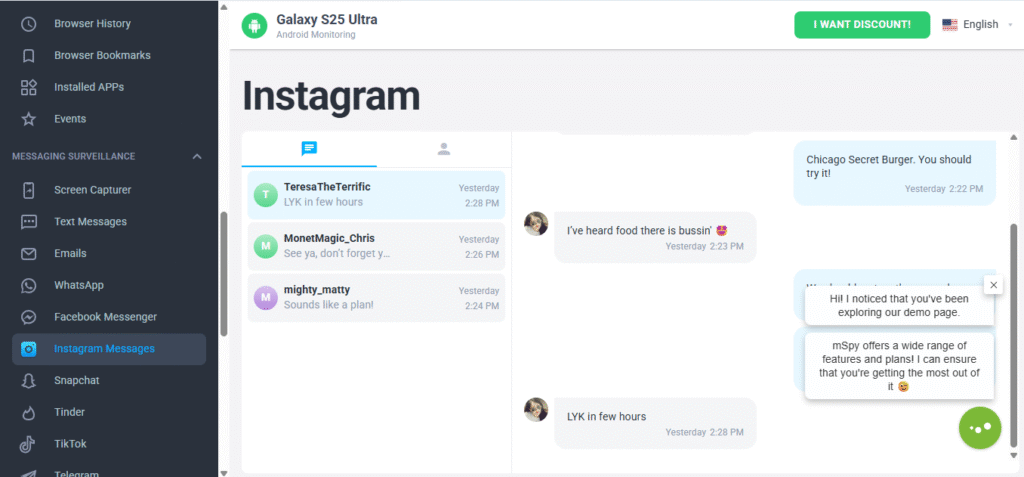
This is one of the biggest reasons parents choose mSpy.
The app claims to monitor several social media and messaging platforms including:
- Snapchat
- Facebook Messenger
- Telegram
- Discord
During testing, the app successfully captured portions of conversations, contact details, and activity logs on supported apps.
Parents who are mainly worried about disappearing messages often look for tools focused on Snapchat monitoring to better understand their child’s online interactions.
The level of detail depended heavily on the phone type and permissions granted.
Text Message Monitoring
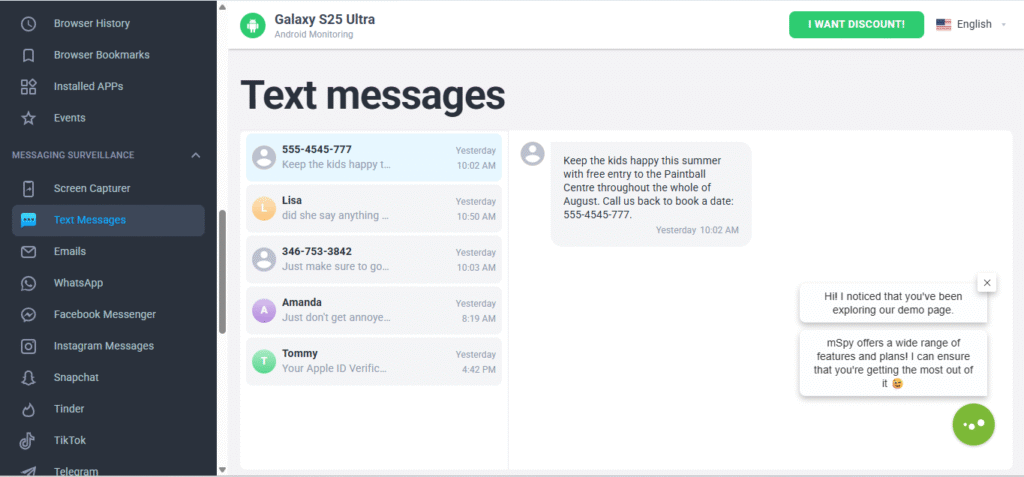
The SMS tracking worked consistently during testing.
Parents can view:
- Sent messages
- Received messages
- Deleted conversations in some cases
- Contact information
- Timestamps
This feature updated fairly quickly compared to some cheaper monitoring apps.
GPS Location Tracking
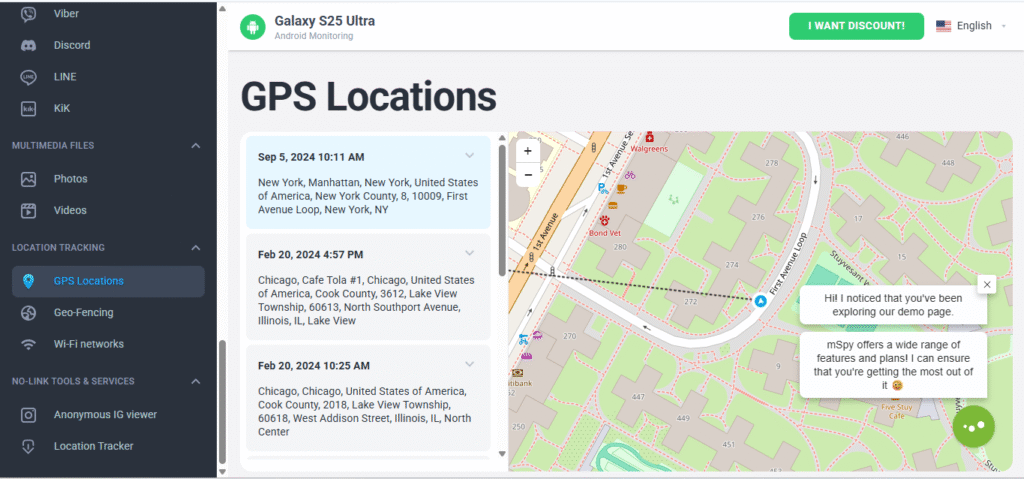
The location feature performed surprisingly well.
The dashboard displayed:
- Real-time location
- Route history
- Frequently visited places
- Timestamped movement logs
For parents worried about school travel or unknown locations, this feature can be very useful.
If you’re exploring more options beyond mSpy, take a look at our roundup of GPS tracking apps every parent should know, where we compare the most popular apps parents use for location tracking and monitoring.
Call Monitoring
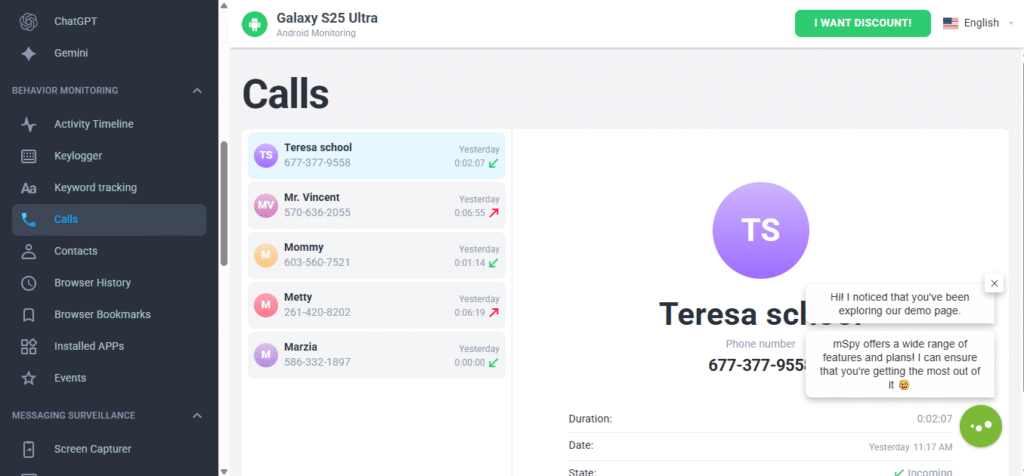
The app records details about incoming and outgoing calls including:
- Contact names
- Call duration
- Call timestamps
- Missed calls
Some advanced monitoring options may vary depending on the operating system.
Browser History Monitoring
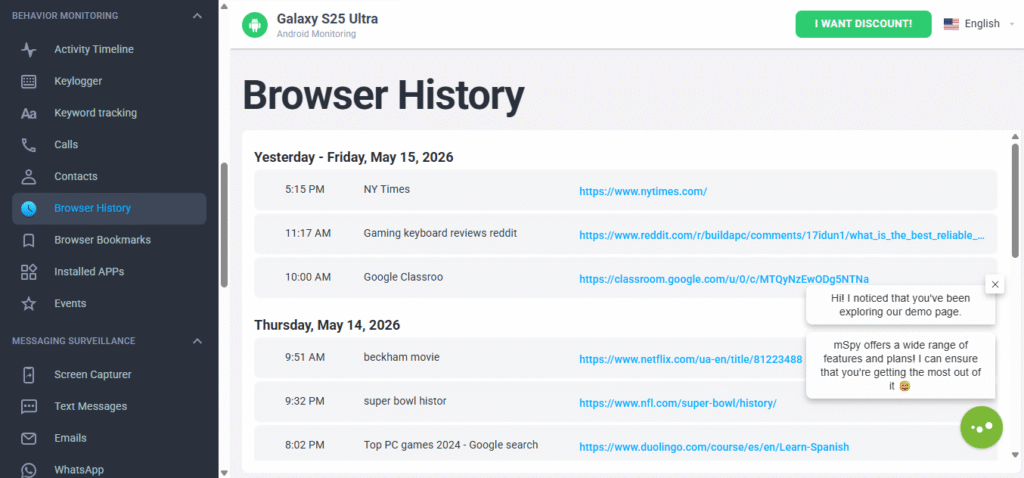
Parents can review browsing activity to identify risky websites or inappropriate searches.
The app showed:
- Visited websites
- Search activity
- Browser timestamps
This feature can help parents understand what type of content their child consumes online.
App Usage Tracking
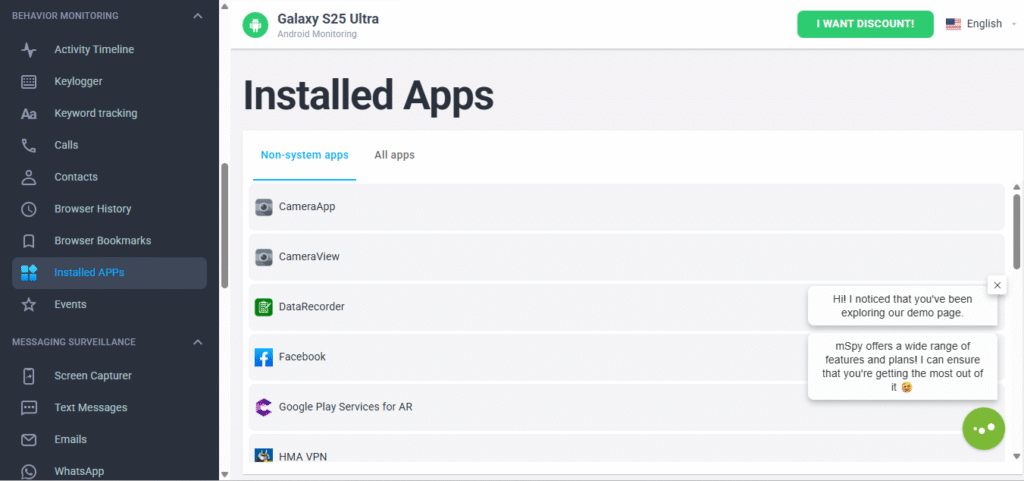
This section shows how much time children spend inside certain applications.
I found this feature useful because many parents underestimate how long children remain active on entertainment or messaging apps.
The activity logs provide a clearer picture of daily phone habits.
Screen Recording and Screenshots
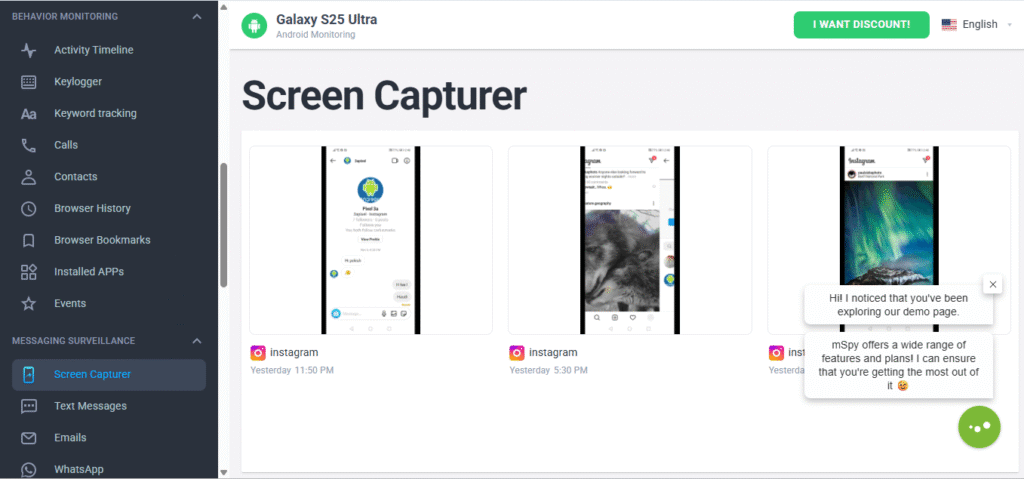
Some versions of mSpy include screenshot capturing and screen recording features.
This helps parents understand the actual context behind conversations and activity.
In testing, screenshots updated periodically rather than instantly.
Real-World Performance
This is where many monitoring apps either impress or disappoint.
After several days of testing, I noticed that mSpy generally performed reliably for core monitoring tasks.
What Worked Well
The strongest areas were:
- GPS tracking accuracy
- SMS synchronization
- Dashboard organization
- Browser history logging
- Call history monitoring
Data updates were reasonably fast in most situations.
Where It Had Limitations
No monitoring app is perfect.
A few limitations became noticeable:
- Some social media updates experienced delays
- Certain features depended heavily on device permissions
- Battery usage increased slightly on Android
- Advanced features may require deeper device access
Parents should understand that monitoring performance varies between Android and iPhone devices.
Is mSpy Easy for Non-Technical Parents?
In my opinion, yes.
Compared to many complicated monitoring tools, mSpy feels more beginner-friendly.
The dashboard uses clear categories, and most information is easy to locate without technical knowledge.
Even parents with limited experience can usually understand the monitoring reports after a short learning period.
Families searching for an easy-to-use monitoring app often compare different platforms before deciding which one fits their parenting needs.
Privacy and Ethical Considerations
This part is extremely important.
Monitoring apps should never replace healthy communication between parents and children.
The best approach is using technology as a safety tool rather than a punishment tool.
Parents should also research local privacy laws because monitoring regulations differ between countries and regions.
Responsible parenting involves balancing supervision with trust.
Pros and Cons
Pros
- Large range of monitoring features
- Clean and organized dashboard
- Accurate GPS tracking
- Good message synchronization
- Beginner-friendly interface
- Helpful for online safety awareness
Cons
- Some features vary by device type
- Social media syncing may occasionally lag
- Battery consumption can increase slightly
- Advanced monitoring may require additional permissions
Who Is mSpy Best For?
mSpy is best suited for:
- Parents of teenagers using social media heavily
- Families concerned about online safety
- Parents wanting location visibility
- Guardians monitoring excessive screen time
- Families managing digital parenting challenges
It may not be necessary for every household, but it can provide reassurance for parents facing serious online safety concerns.
Final Verdict
After testing the app closely, I understand why many parents consider mSpy one of the better-known monitoring solutions.
The app offers a strong collection of tracking features while remaining relatively easy to use. Its GPS tracking, call logs, text monitoring, and browsing reports worked reliably during real-world testing.
There are still limitations, especially with certain social media platforms and device restrictions, but overall performance was solid.
For parents searching for a monitoring app focused on child safety and digital awareness, mSpy can be a practical option when used responsibly and ethically.