As parents, we all want to keep our children safe online — especially when it comes to messaging apps like WhatsApp. But what happens when your child deletes messages before you can see them? Are those chats gone forever?
In this 2025 guide, you’ll learn how to see deleted WhatsApp messages safely and responsibly. From checking backups to using trusted parental monitoring tools like uMobix, mSpy, Eyezy, and Spynger, we’ll cover every method step-by-step.
Understanding WhatsApp’s “Delete for Everyone” Feature
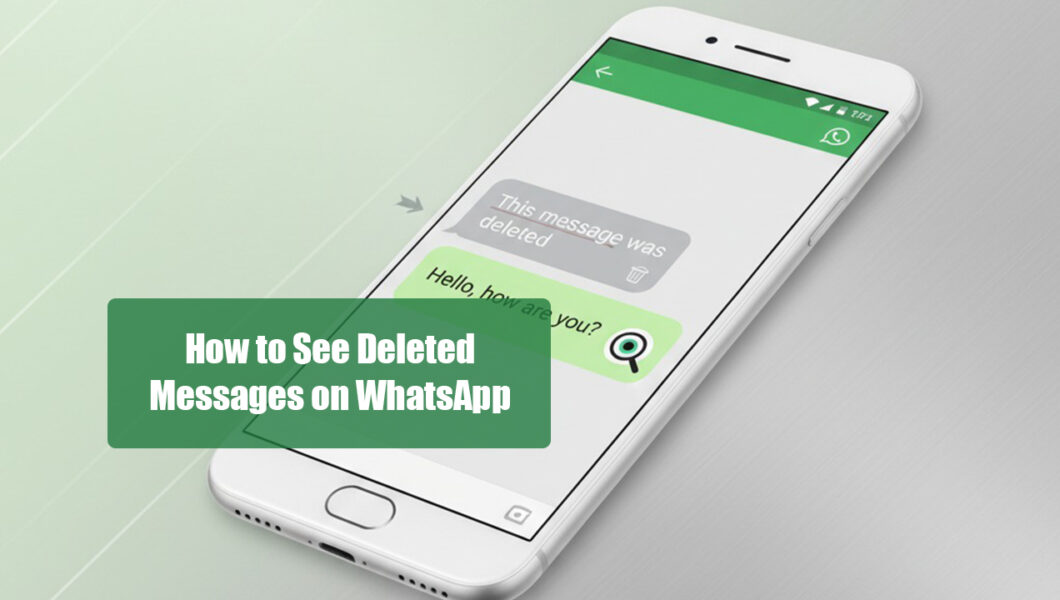
WhatsApp allows users to delete messages for everyone within a certain time frame — usually about an hour after sending. When that happens, the message is replaced with a notice that says “This message was deleted.”
However, this feature doesn’t completely erase the message from all records. Some parts of the data (like notifications or backup copies) can still be recovered or viewed — and that’s where the following methods come in.
Method 1: Check Notification History (Android Users)
Android devices often keep a record of app notifications, which can include message previews. If you enable Notification History, you can sometimes see the deleted messages directly from your phone’s settings.
How to Enable Notification History:
- Go to Settings → Notifications → Advanced Settings → Notification History.
- Turn Notification History ON.
- After enabling, all future message notifications (including WhatsApp) will be saved here.
When someone sends and deletes a message, you can open this log to view what was originally sent.
Note:
This method works only after notification history is enabled. It won’t recover messages deleted before the feature was turned on.
Method 2: Restore Deleted Messages from WhatsApp Backup
WhatsApp creates regular backups either to Google Drive (Android) or iCloud (iPhone). If a message was deleted after a backup, you can restore the backup to recover it.
Steps for Android:
- Open WhatsApp → Settings → Chats → Chat Backup.
- Check the date of the last backup.
- Uninstall and reinstall WhatsApp.
- When prompted, select Restore from Google Drive.
Steps for iPhone:
- Go to Settings → Chats → Chat Backup to verify your last iCloud backup.
- Uninstall and reinstall WhatsApp.
- Choose Restore from iCloud when prompted.
Pro Tip: Always enable daily automatic backups so you never lose important conversations again.
Method 3: Use Parental Monitoring Apps (Advanced & Reliable Option)
If you’re a parent who wants complete visibility into your child’s WhatsApp activity, including deleted messages, media, and call logs — parental monitoring tools are the safest, most reliable solution.
These apps provide a secure dashboard where you can view your child’s WhatsApp chats even if they’ve been deleted from the phone.
Here are some trusted options in 2025:
1. uMobix — Real-Time WhatsApp Monitoring
uMobix offers full WhatsApp tracking, including deleted messages, calls, and media files. It records messages as they appear on your child’s device — even if your child deletes them later.
Key Features:
- View all sent, received, and deleted messages.
- Access contact details and timestamps.
- Monitor WhatsApp activity remotely from your dashboard.
- Works on both Android and iOS.
Ideal for: Parents who want a real-time, reliable way to protect their kids from harmful online interactions.
2. mSpy — Complete WhatsApp Chat Access
mSpy lets you read your child’s WhatsApp conversations, view deleted messages, and even see media shared through the app. Its simple dashboard is ideal for parents new to monitoring apps.
Key Features:
- Track deleted and hidden messages.
- View shared photos, videos, and voice notes.
- Works without rooting or jailbreaking in most cases.
- Offers real-time alerts and keyword tracking.
Ideal for: Parents who want easy setup and instant access to deleted WhatsApp content.
3. Eyezy — Smart Insights with Chat Monitoring
Eyezy combines advanced tracking with AI-powered insights. It lets you see WhatsApp messages, detect suspicious words, and recover deleted content from chat logs.
Key Features:
- Detects deleted messages and risky language.
- Visual dashboard with organized chat history.
- Works seamlessly on both Android and iPhone.
- Additional monitoring features for social media apps.
Ideal for: Parents who want a smart, tech-friendly monitoring solution.
4. Spynger — All-in-One WhatsApp Tracker
Spynger captures complete WhatsApp data, including messages deleted by your child or their contacts. It’s designed for parents who want a discreet yet powerful monitoring tool.
Key Features:
- Full message tracking (even after deletion).
- Monitors call logs, media, and contacts.
- Works quietly in the background.
- Easy-to-use control panel.
Ideal for: Parents who want reliable, hidden tracking for WhatsApp and other apps.
Method 5: Recover Deleted Media Files (Photos, Videos, Audio)
Even if messages are deleted, WhatsApp media files might still be saved on the device.
How to Find Them:
- Open your File Manager → WhatsApp → Media → WhatsApp Images / Videos.
- Look for the media you want to recover.
- If missing, check your cloud backup (Google Drive or iCloud) for stored media files.
If you use a monitoring app like uMobix or mSpy, deleted media can also be viewed directly through their dashboards.
Common Issues & Troubleshooting Tips
- Some deleted messages can’t be recovered if they were never backed up or recorded.
- Ensure WhatsApp backups are enabled daily.
- Avoid unreliable recovery apps — they can harm your child’s data privacy.
- Always choose monitoring apps that encrypt data and comply with privacy laws.
Privacy, Legality, and Ethical Considerations
Before using any recovery or monitoring method, it’s essential to stay within ethical boundaries.
If you’re a parent, you have a legitimate reason to ensure your child’s safety online. However, these tools should be used responsibly — for protection, not intrusion.
All the recommended apps (uMobix, mSpy, Eyezy, Spynger) comply with global privacy standards and are meant for parental control and child safety monitoring only.
Conclusion
Seeing deleted WhatsApp messages in 2025 is absolutely possible — especially for parents who want to stay informed and keep their kids safe.
While backups and notification logs work in some cases, parental monitoring apps offer the most consistent, private, and secure way to access deleted messages.Whether you choose uMobix, mSpy, Eyezy, or Spynger, each tool gives you peace of mind by helping you understand what’s happening in your child’s digital world — and guide them toward safer, smarter online habits.