Instagram is one of the most popular social media platforms among teens — a space where they share photos, express feelings, and connect with friends. But sometimes, parents notice that posts suddenly disappear. Was it deleted intentionally, or was something hidden?
As a parent, it’s natural to worry when you suspect your teen might be deleting content to hide something. This guide explains how to see someone’s deleted Instagram posts responsibly and how to use trusted parental monitoring apps to ensure your child’s digital safety — without invading their privacy.
Can You Really See Deleted Instagram Posts?
Once a post is deleted from Instagram, it’s usually removed from public view. However, there are still some ways parents can retrieve, view, or monitor deleted activity, depending on how it was deleted and whether it was backed up.
But it’s important to clarify a few things first:
- Instagram doesn’t allow you to see another person’s deleted posts directly.
- You can view deleted or archived posts only if you have access to your teen’s account or through authorized parental monitoring apps.
- Any monitoring should always respect your child’s privacy and local digital laws.
Native Ways to Check Deleted Content
Before using advanced tools, try these built-in options:
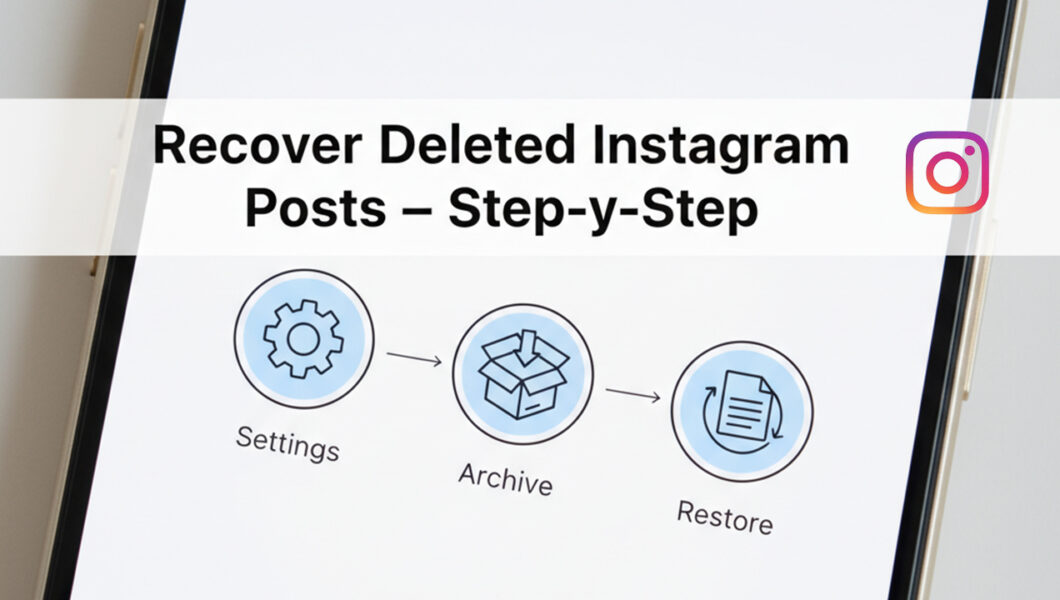
1. Check the “Recently Deleted” Folder
Instagram keeps deleted posts, reels, and stories in a Recently Deleted folder for up to 30 days. If you can access your teen’s account, go to:
Profile → Menu (☰) → Your Activity → Recently Deleted.
From there, you can view or restore deleted posts.
2. Check Linked Facebook Albums
If your teen’s Instagram is connected to Facebook, some deleted photos may remain visible under Facebook’s linked albums.
3. Device Backups and Screenshots
Sometimes, old backups or automatic screenshots (especially from Google Photos or iCloud) might contain previously uploaded posts.
When You Need a Smarter Solution
Built-in options can help, but they don’t always show the full picture — especially if your child is using multiple accounts or deleting posts quickly.
That’s where parental control apps come in. These apps give parents a way to responsibly monitor what their teens share online — including deleted or hidden Instagram content — while encouraging open communication and trust.
How to See Someone’s Deleted Instagram Posts (Step-by-Step)
Here’s a safe and ethical approach for parents:
Step 1: Talk to Your Teen
Start with an honest conversation. Let them know you’re concerned about online safety, not punishment.
Step 2: Set Digital Rules Together
Agree on boundaries for screen time, privacy, and responsible sharing.
Step 3: Use a Parental Monitoring App
With your teen’s consent, install a reliable monitoring app that provides access to deleted or hidden Instagram activities.
Step 4: Review the Dashboard
Most apps give you a secure dashboard where you can view deleted posts, direct messages, and other social interactions.
Step 5: Discuss Findings Calmly
If you find something concerning, talk about it in a calm, understanding way. Remember, your goal is guidance — not control.
Best Instagram Monitoring Apps for Parents
Let’s look at the top parental monitoring tools that can help parents view or recover deleted Instagram content safely.
1. uMobix
uMobix is one of the most powerful monitoring apps for Instagram. It allows parents to see deleted messages, photos, and posts in real time.
Key features:
- Access deleted or hidden media
- Monitor chats and interactions
- View story and reel history
- Track app usage and screen time
It’s ideal for parents who want a complete view of social activity with minimal setup.
2. mSpy
mSpy is a trusted parental app that focuses on communication tracking. While it doesn’t restore deleted posts directly from Instagram servers, it can record media before deletion and show message history.
Key features:
- Tracks Instagram DM conversations
- Captures screenshots of activity
- Shows deleted or removed files from phone storage
It’s a great choice for responsible digital supervision.
3. Eyezy
Eyezy combines smart monitoring with AI-driven insights. It helps parents understand behavioral changes by tracking what content is being shared or removed.
Key features:
- Monitors deleted posts and messages
- Records app activity timeline
- Provides behavior analysis tools
Eyezy is perfect for parents who want to balance safety with empathy.
4. Spynger
Spynger offers deep-level monitoring across multiple social apps, including Instagram. It helps parents view deleted messages, photos, and stories even after removal.
Key features:
- Recover deleted photos and messages
- Access chat history and timestamps
- View app logs for every Instagram action
It’s best for parents seeking a comprehensive Instagram monitoring solution.
Safety and Privacy Tips for Parents
- Be transparent. Always inform your teen if you’re using a monitoring app.
- Respect privacy. Avoid reading every conversation; focus on safety concerns.
- Educate, don’t control. Teach your teen about online responsibility.
- Encourage trust. The goal is guidance, not surveillance.
Common Mistakes Parents Should Avoid
- Secret monitoring. Spying without consent can break trust permanently.
- Overreacting to deleted posts. Teens often delete posts for harmless reasons — like aesthetic changes or embarrassment.
- Ignoring emotional cues. Deleted posts can sometimes signal stress or anxiety — offer emotional support instead of judgment.
Conclusion
Deleted Instagram posts can raise concerns for parents, but the solution lies in responsible digital parenting, not control.
By combining open communication with reliable tools like uMobix, mSpy, Eyezy, and Spynger, parents can create a safer online environment where teens learn accountability and digital wisdom.
Remember — protecting your child’s digital life is about guidance, awareness, and trust. 💬